Creating a family history book is one of the most meaningful things you will ever do. It preserves irreplaceable stories before they are lost. It gives children and grandchildren a genuine sense of identity and belonging. It honours the lives of relatives who have passed. And it becomes a treasured heirloom that families fight to keep for generations. This complete, step-by-step guide walks you through every stage of the process — from your very first piece of information to holding a beautifully printed, professionally formatted book in your hands.
Why Create a Family History Book?
Before getting into the practical steps, it helps to understand what is at stake. According to genealogists and family historians, an estimated 80% of family stories and personal memories are lost within two to three generations. Grandparents pass away. Old letters get discarded. Photographs go unlabelled and unidentified. Within decades, entire chapters of your family's story simply vanish.
A family history book changes that. It creates a permanent, tangible record that can be printed, gifted, stored on a shelf, and handed down across generations. It is not just a document — it is an act of love for the people who come after you.
Children who know their family history — who their grandparents were, where they came from, what challenges they overcame — have been shown by researchers to have stronger identities and greater resilience. Your book is a gift that keeps giving for generations.
A family history book serves multiple purposes. It preserves irreplaceable information — names, dates, professions, locations and personal stories that would otherwise be forgotten. It strengthens living bonds — the process of building one brings families together in conversation and collaboration. It honours those who have passed, giving them a dignified, lasting memorial. And it creates something printable and giftable — one of the few possessions people genuinely treasure.
What to Include in a Family History Book
One of the most common questions beginners ask is: what exactly goes in a family history book? The short answer is: whatever tells your family's story most vividly. The longer answer depends on how many generations you are covering, how much information you have gathered, and how elaborate you want the final product to be.
Here is what a well-structured family history book typically contains:
Cover Page
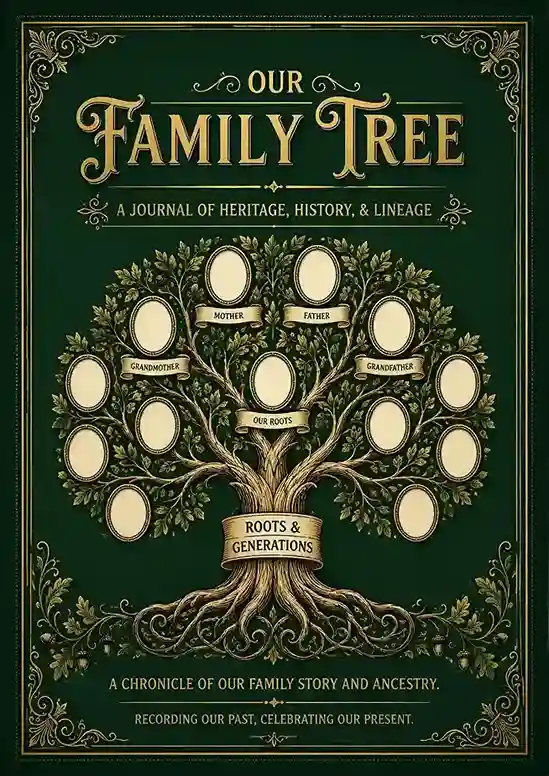
The family name, a subtitle ("A Journal of Heritage, History & Lineage"), founding year and a family photo or crest.
Table of Contents
Lists all sections and individual member pages with page numbers so readers can navigate easily.
About the Family
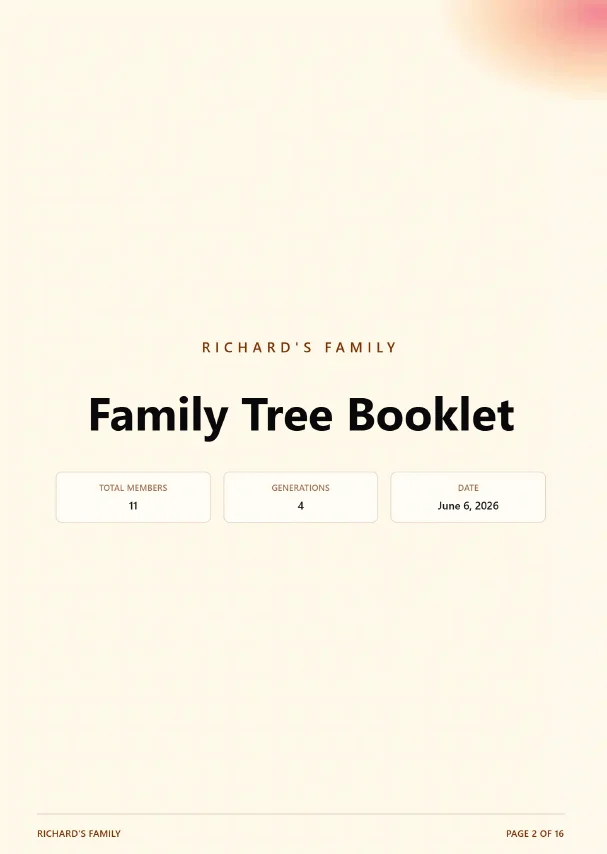
An introduction covering total members, generations, the family's founding story, values and traditions.
Family Tree Diagram
A visual, multi-generational tree showing all members and their relationships at a glance.
Individual Member Pages
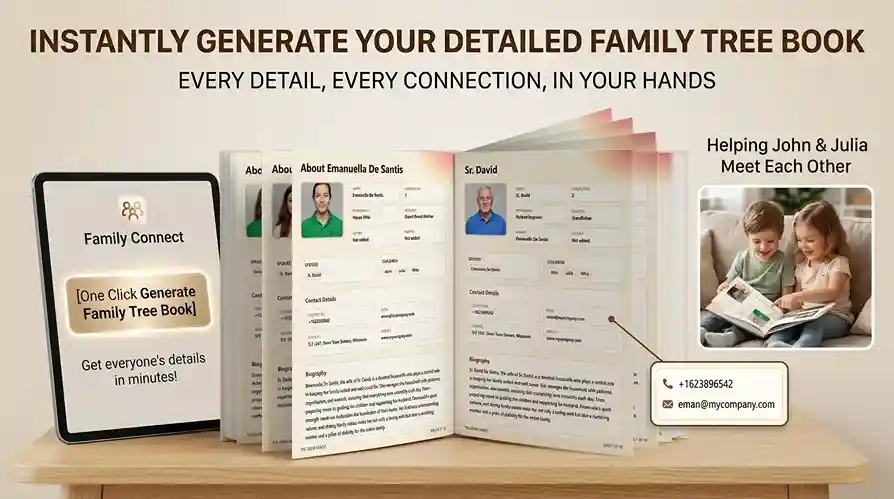
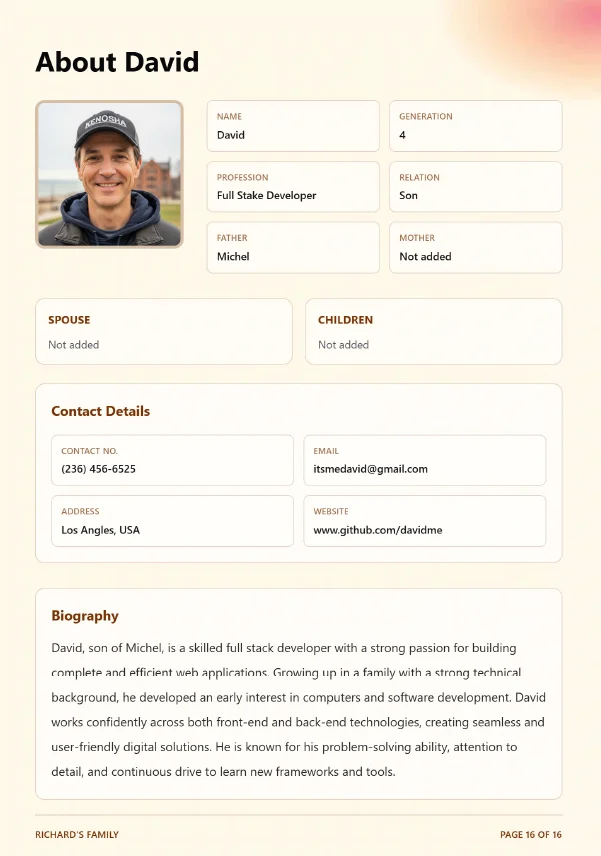
One dedicated page per person with photo, name, relation, profession, biography, contact details and children.
Family Timeline
Key dates and milestones across generations — births, marriages, migrations, achievements.
Photo Gallery
Dedicated spread of family photos — group shots, reunions, childhood memories and historical images.
Family Traditions & Recipes
Recipes passed down through generations, holiday traditions, cultural practices and shared rituals.
You do not need to include every element in your first book. Start with the essentials — cover page, family overview, tree, and individual profiles — and add richer sections as your research deepens. Family Memory Book automatically generates a formatted booklet with all the core sections the moment you click "Generate Booklet."
What Each Page Looks Like: A Real Example
It helps to see what a real family history booklet looks like page by page before you start building your own. Here is a walkthrough of each core section:
The Cover Page
The cover is the first thing your family sees when they open the book. A well-designed cover creates an immediate emotional impact. It typically includes the family name, a heritage subtitle, the founding year and a visual — either a family tree illustration, a family crest, or a meaningful photograph. This is not just decoration: a striking cover signals that what is inside deserves to be taken seriously and kept forever.
The "About the Family" Introduction Page
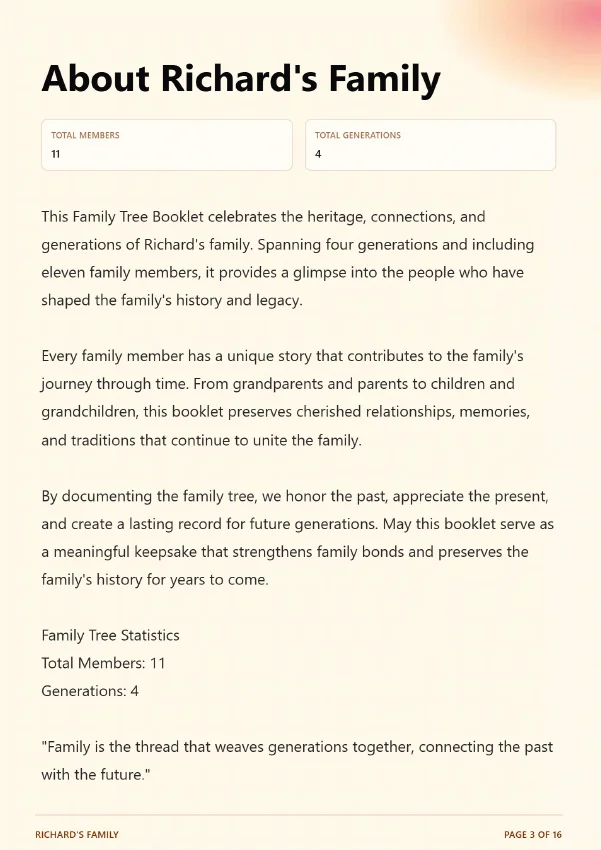
This section gives readers the full picture before they dive into individual stories. It includes the total number of members and generations, a short narrative about the family's history, and often a guiding quote about family and legacy. Think of it as the foreword to a book — it sets the tone, explains the scope and gives readers a reason to keep turning pages.
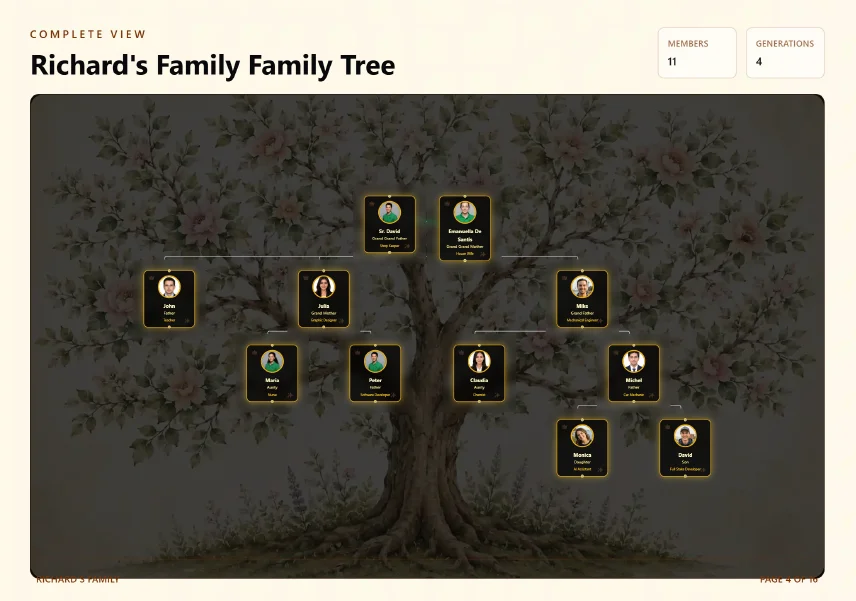
The Family Tree Diagram Page
A visual family tree is the heart of the book. It shows at a glance how everyone connects — who is whose parent, sibling, child or spouse. The best family tree pages include photos alongside names, so even readers who have never met a particular family member can put a face to the name. A well-designed tree becomes one of the most studied and discussed pages in the entire book.
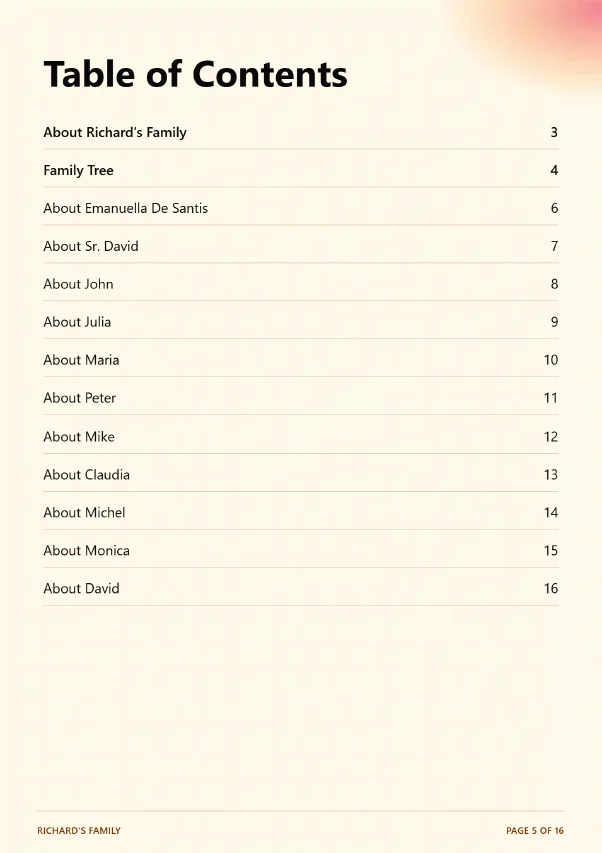
The Table of Contents
A table of contents may seem like a minor detail, but it transforms a family history book from a document into a professional publication. It lets grandparents flip straight to their page, lets children find a great-grandparent they have always been curious about, and gives the whole book a sense of structure and intentionality.
How to Write Compelling Family Member Biographies
The individual member pages are what make a family history book truly special. They transform names and dates into real, vivid, remembered human beings. Writing them well does not require literary talent — it requires honesty, warmth and a little structure.
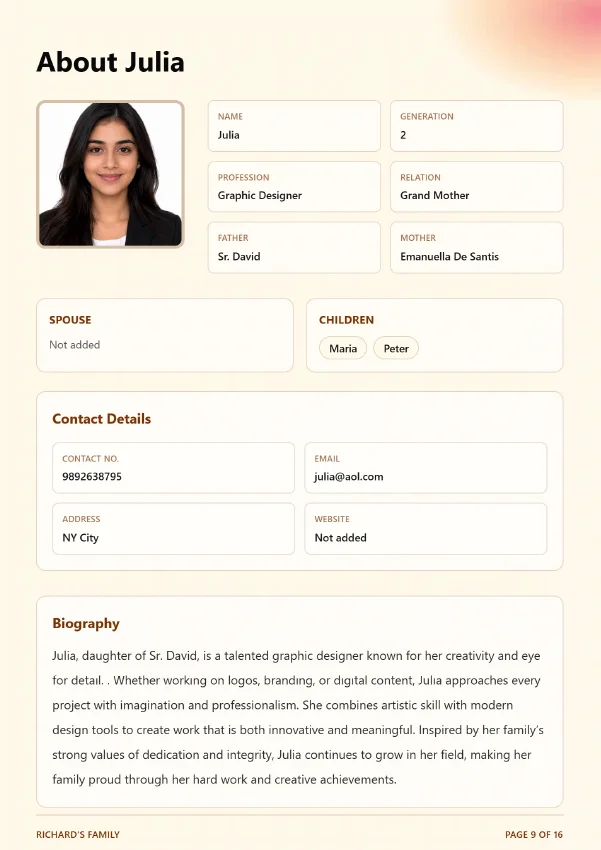
Each member page should include the following core elements:
- Full name, nickname (if any), and relation to the family (Father, Grand Mother, Son, etc.)
- Profession or occupation — what they did or do for work
- Generation number within the family tree
- Father and mother's names to show their place in the lineage
- Spouse and children's names
- Contact details — phone number, email, address, website
- A written biography (even a single well-crafted paragraph is enough)
- A photograph — ideally a portrait, though any clear photo works
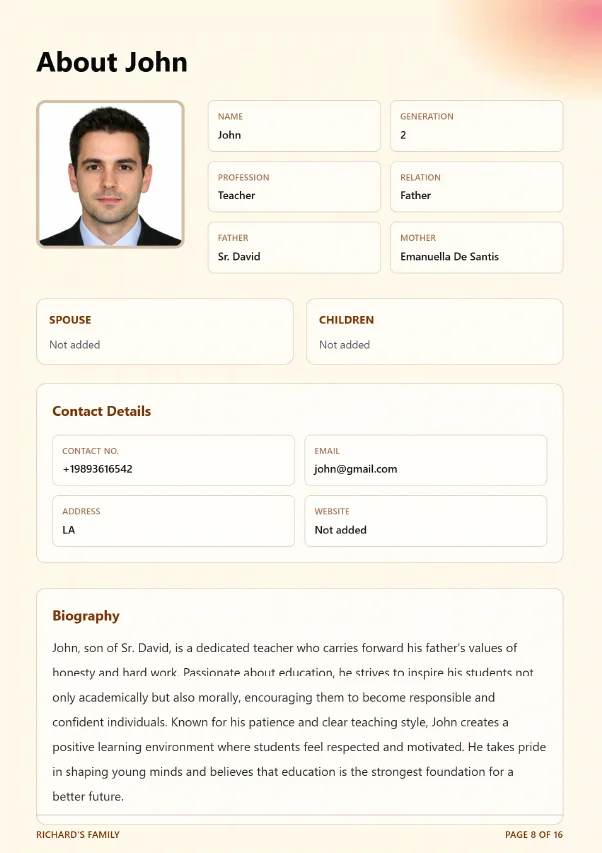
Writing the Biography: A Practical Template
Biographies do not need to be long. Three to five sentences capturing who this person is, what they have done, and what they mean to the family is enough to bring them to life. Here is an example of the kind of biography that makes a family history book memorable:
John, son of Sr. David, is a dedicated teacher who carries forward his father's values of honesty and hard work. Passionate about education, he strives to inspire his students not only academically but also morally, encouraging them to become responsible and confident individuals. Known for his patience and clear teaching style, John creates a positive learning environment where students feel respected and motivated. He takes pride in shaping young minds and believes that education is the strongest foundation for a better future.
Notice what makes this biography effective: it is specific about profession, it captures personality and values, it connects to family legacy and it ends with something forward-looking. It takes fewer than 100 words to make a person genuinely memorable. When every member in your book has a paragraph like this, the whole document becomes something extraordinary.
Tips for Gathering Biography Information
For living family members, the best approach is a simple conversation. Call them, sit down for a coffee, or send a few written questions by email. Ask open-ended questions: "What is something you are most proud of?" "What job did you have that meant the most to you?" "What do you want your grandchildren to know about you?" Even reluctant family members usually warm up when they realise they are being heard and honoured.
For family members who have passed, draw on what you know from other relatives, old letters, documents and photographs. Even partial information — a profession, a location, a birth year — gives you something to work with. A biography built on fragments is far more valuable than a blank page.
How to Create a Family History Book: Step by Step
Now that you know what to include and what each page looks like, here is the full process from start to finish.
-
Define Your Scope
Decide how many generations you want to cover and which branches of the family to include. For beginners, three to four generations is manageable. You can always expand the book later — a digital platform like Family Memory Book makes it easy to add new members at any time.
-
Gather Your Information
Contact family members — especially older relatives — and ask for their help. Request birth and marriage certificates, old photographs, immigration records, and any family documents they have stored away. Record conversations with grandparents and great-aunts: oral histories are often the richest source of family detail you will find. Check public genealogy resources (FamilySearch, Ancestry) to fill gaps.
-
Build Your Family Tree Digitally
Use Family Memory Book to enter each family member one by one. Add their name, relation, profession and which generation they belong to. Connect them to their parents, spouse and children. The platform automatically visualises your tree as you add members — you can see the full structure growing in real time.
-
Write the Biographies
For each member, write a short biography using the template above. Aim for three to five sentences at minimum, though longer is always welcome. Include profession, personality, key life events and their relationship to the family's values or legacy.
-
Upload Photographs
Upload a profile photo for each member. Scan old physical photographs at 300 DPI or higher. Even imperfect photographs are far better than none — a grainy, faded photo of a great-grandparent makes a page infinitely more personal than a blank placeholder. Premium plans on Family Memory Book support unlimited photo uploads.
-
Add Contact Details
Include phone numbers, email addresses, physical addresses and websites for each living family member. This turns your family history book into a practical living directory, not just a historical document — something family members will keep on their desks and actually use.
-
Invite Family to Collaborate
Premium plans let you share the tree with family members so they can add and edit their own profiles. This speeds up the process enormously and ensures accuracy — no one knows Julia's children better than Julia. It also deepens the sense of ownership everyone feels toward the finished book.
-
Generate and Download Your Booklet
When your information is entered, click "Generate Booklet." Family Memory Book instantly produces a professionally formatted, print-ready PDF — complete with cover page, about the family page, family tree diagram, table of contents, and a dedicated page for every member. Download it, share it digitally, or send it to a print shop for physical copies.
Ready to Create Your Family History Book?
Build your interactive family tree, write biographies, upload photos and generate a beautiful printable booklet — free to start, no credit card required.
Create Family History Book →Choosing the Right Format for Your Family History Book
Family history books can be structured in several different ways. The format you choose shapes how the story feels to the reader. Here are the most common approaches and when each works best:
| Format | Best For | Structure |
|---|---|---|
| Chronological | Multi-generational families with clear historical progression | Moves generation by generation from oldest ancestors to youngest |
| Member-by-Member | Families who want every person to feel equally honoured | One dedicated page per person, organized by generation |
| Thematic | Families with a rich shared culture, profession or tradition | Chapters around themes: migration, occupations, faith, sport |
| Memoir-Based | A single generation's story told in depth | Written narrative, often by or about one person |
| Photo-Forward | Families with a rich photographic archive | Images lead each section with brief text captions |
For most families creating their first book, the member-by-member format is the most satisfying — it ensures no one is left out and every person gets their moment in the spotlight. This is the format Family Memory Book uses automatically, generating one elegantly formatted page per member.
How to Handle Photographs in Your Family History Book
Photographs are the single most powerful element in a family history book. A photo of a grandmother at age twenty transforms a name and a date into a real, vivid human being. Here is how to handle photographs properly:
Scanning Old Photographs
Scan all physical photographs at a minimum of 300 DPI (dots per inch). For older or fragile photos, 600 DPI is better. Use a flatbed scanner rather than a phone camera where possible — it produces a flatter, sharper result. Save scans as JPEG or PNG files with descriptive names (e.g. "william-anderson-1955.jpg") so they are easy to find later.
Enhancing and Restoring Old Photos
Old photographs are often faded, scratched or blurry. Free tools like Adobe Express, Photoshop, Canva or even the built-in photo editors on most smartphones can dramatically improve brightness, contrast and sharpness. For heavily damaged photographs, specialist services can reconstruct missing details and remove stains.
Organising Your Photo Archive
Create a folder for each family member and drop their photographs in as you gather them. Label each image with the person's name and approximate date. When you upload photos to Family Memory Book, they attach directly to the relevant member profile, so they appear automatically on that person's page in the finished booklet.
Even if you can only find a single photograph of a particular family member, include it. One photo is infinitely more personal than none. A blurry passport photo from 1970 still makes a grandparent real and present on the page.
Common Mistakes to Avoid
Creating a family history book is forgiving — there is no single right way to do it. But there are a few common mistakes that tend to make the process harder or the final product less satisfying:
- Waiting until you have "enough" information. You will never feel fully ready. Start with what you have and add more over time. An imperfect book that exists is worth infinitely more than a perfect book that never gets made.
- Not interviewing older relatives soon enough. This is the most urgent task in any family history project. Grandparents and elderly relatives hold irreplaceable memories. Ask them now, record the conversations and transcribe what they share before it is too late.
- Leaving photographs unlabelled. Scan and label every photograph as you digitise it. Photographs without names and dates become mysteries within one generation.
- Writing biographies that are just lists of facts. Dates and places matter, but what makes a biography memorable is personality, character and story. Include at least one specific anecdote or personal detail for each person.
- Trying to include every living relative in the first edition. It is fine to start with the main line and add extended family in future editions. A finished, printed book covering six family members is better than an unfinished project covering sixty.
- Not printing a physical copy. A digital file that lives only on a computer can be lost, corrupted or simply forgotten. Print at least one physical copy — even at home — so the book has a permanent existence in the physical world.
Printing and Sharing Your Family History Book
Once your booklet PDF is generated, you have several options for printing and sharing it:
Home Printing
For a quick proof copy or for sharing with nearby family members, print at home on standard A4 or Letter paper. Staple or bind it using a simple comb binder. This is perfectly adequate for an early draft or for sharing with family members who will review and add information.
Local Print Shop
For a higher-quality result, take your PDF to a local print shop (Staples, FedEx Office, or a local independent printer). They can print on higher-quality paper, add a laminated cover and bind it professionally for a surprisingly low cost — often between $10 and $40 depending on page count.
Online Print Services
Services like Blurb, Mixbook, and Shutterfly allow you to upload your PDF and order professionally printed softcover or hardcover books. Hardcover copies make exceptional gifts for grandparents, newlyweds or at family reunions. Order bulk copies for a significant discount — many families order 10–20 copies at once so every household gets one.
Digital Sharing
Share the PDF digitally via email, WhatsApp, Google Drive or a family group chat. Family Memory Book also allows you to export your family tree as a high-resolution PNG image — perfect for sharing on social media, printing as a poster or displaying in a family home.
Frequently Asked Questions
Start Your Family History Book Today
A family history book does not require months of research, design skills or a large budget. It requires intention — the decision to preserve your family's story before more of it slips away. Every family member whose biography you write, every photograph you scan, every date and detail you record is a small act with enormous long-term consequence.
Family Memory Book was built to make this process as simple and as beautiful as possible. You add the information; the platform handles the rest — organising, formatting and generating a professional booklet that looks like it was designed by a specialist. You can start with just three family members on the free plan and expand over time.
The most important step is the first one. Begin today, even if you only have a handful of names and one or two old photographs. Every family history book starts exactly that way.
Create Your Family History Book — Free
Add your family members, write their stories, upload photographs and generate a beautiful printable heritage booklet in minutes. Free plan available — no credit card required.
✦ Free forever plan · No credit card · Instant PDF download